 View on GitHub
 Reference


Description
Phase I Project is a project to develop an iOS Application with two main purposes:
Create a noise meter that can display a noise level in decibels in real-time.
Construct a 14-band dual-channel audio equalizer that is able to process audio in real-time.
Requirements
- iOS 10.0+
- Xcode 8.0+
- Swift 3.0+
Instalation
CocoaPods
CocoaPods is a dependency manager for Swift and Objective-C Cocoa projects. You can install it with the following command:
$ gem install cocoapods
CocoaPods 1.0.0+ is required to build this project.
Once, cocoapods has been installed, run the following command:
$ pod install
This will install all of the required dependencies to edit, run, and test this project. These can all be done by opening ~/PhaseIWireframe.xcuserstate using Xcode.
Creation
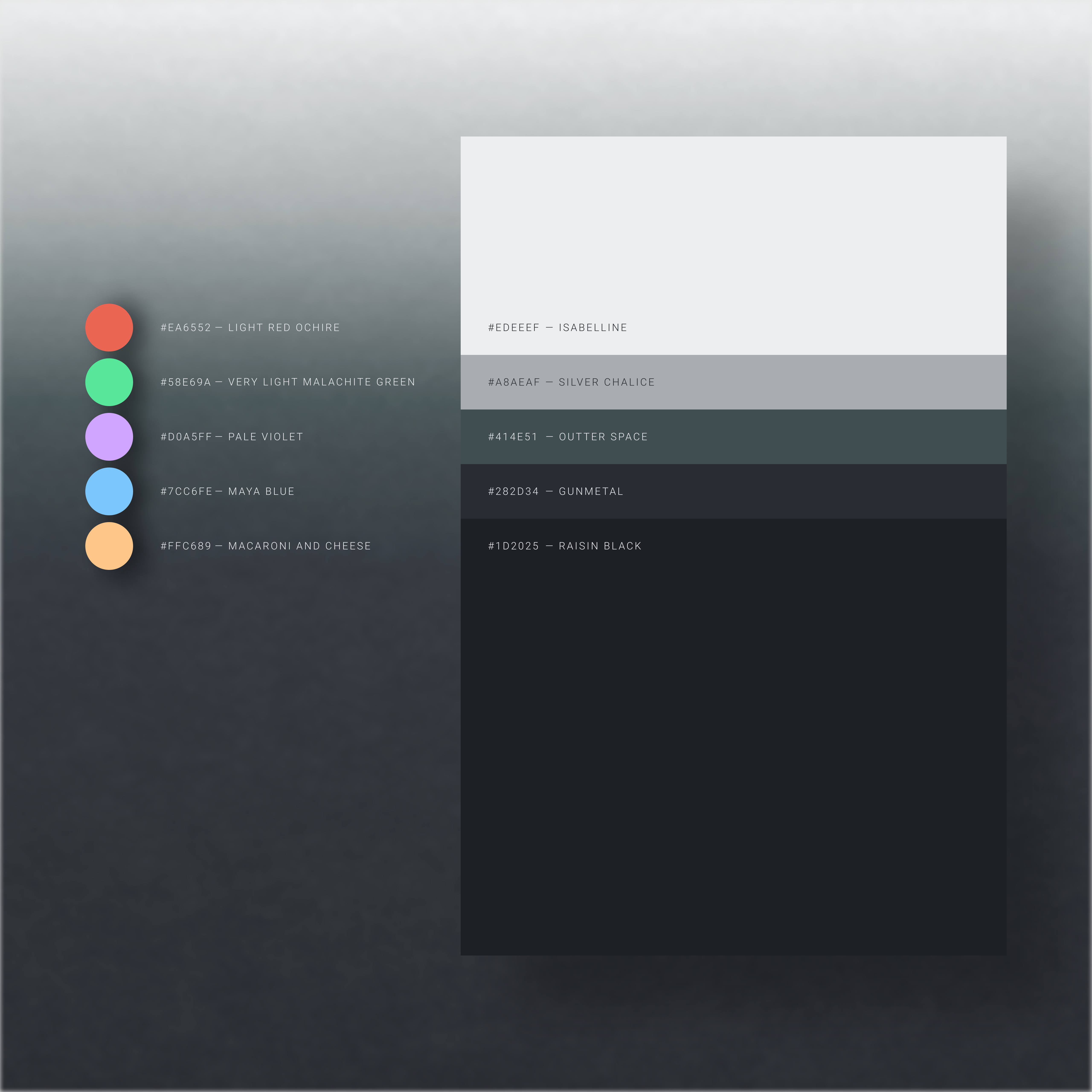
I started building this project by planning out the key components that it would include. Initially, after looking at the provided wireframe I decided to go with a simple design for logging in / creating an account. I also added in another option to test out the demo tools without needing to sign in. When creating the demo tools, I started out by creating a color palette. I initially browsed through coolors.co until I found a color that I liked for the background. This color ended up being Gunmetal (UIColor.BACKGROUND).
Once I had this color, I generated different shades of this color to find a set of slate colors for the application. These slate colors include Isabelline (UIColor.WHITE), Silver Chalice (UIColor.CREME), Outter Space (UIColor.CHARCOAL), Gunmetal (UIColor.BACKGROUND), and Raisin Black (UIColor.BLACK). Once these slate colors were found, I browsed through coolors.co until I found good highlight colors that I could use for GeneralUIButton, GeneralUILabel, GeneralUITextField, GeneralUIViewController, and UINavigationBar.
Here is the final color palette:
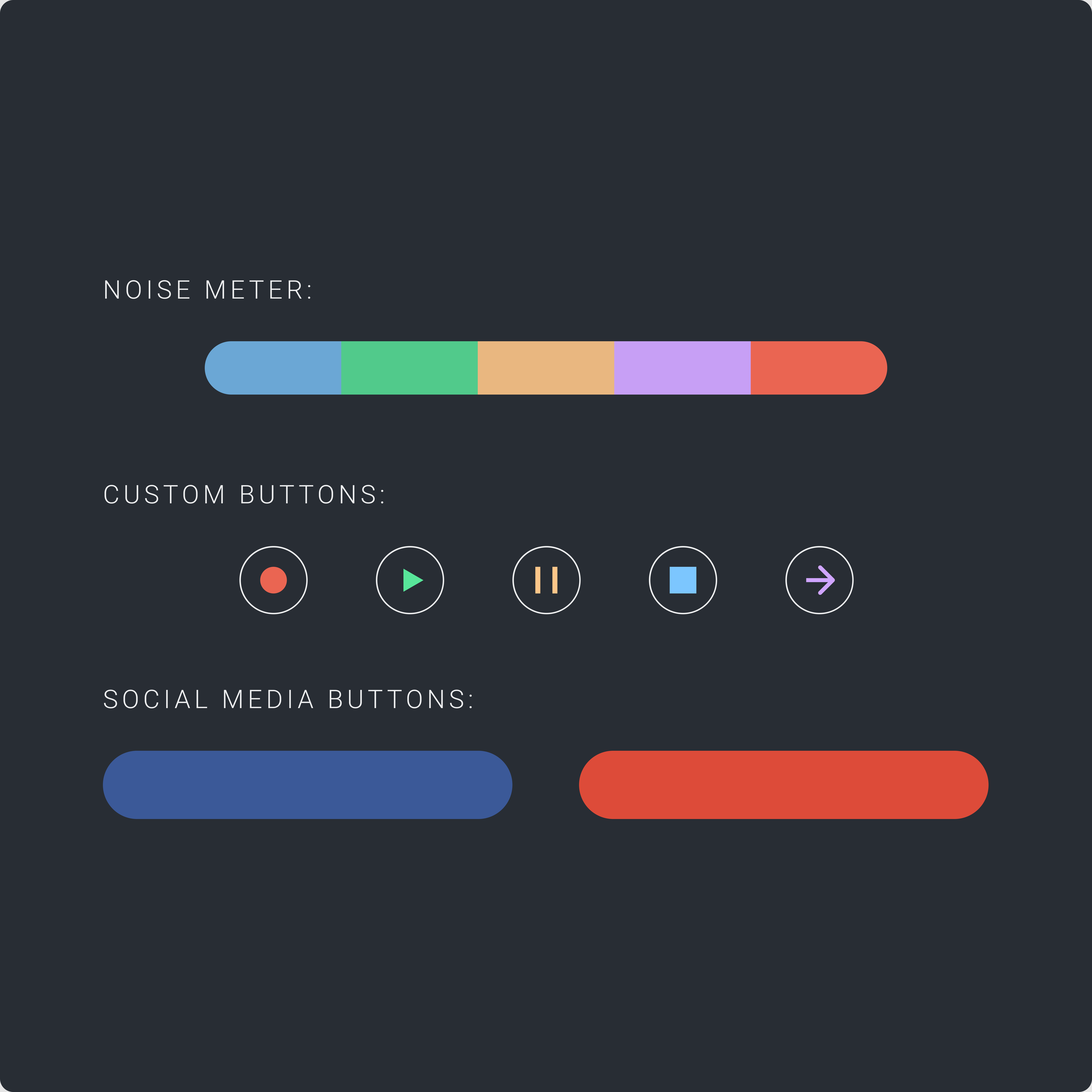
Once the color palette was created I started to design custom UI Components, which can be seen below.
Here are the Custom UI Components:
Once these components were created, I started to create the layout for the application. Namely, I began designing the MVC (Model View Controller) logic to control the flow of the application.
The application follows a structured authentication flow, where users can either create an account, login with existing credentials (email/password), or use social authentication (Google Sign-In, Facebook Login). Once authenticated, users can access the demo tools which include the 14-band dual-channel equalizer and real-time noise meter.
Support
Please open an issue for support.
Contributing
Please contribute using Github Flow. Create a branch, add commits, and open a pull request.
License
This project is licensed under the MIT License. For a full copy of this license take a look at the LICENSE file.